




FiberNl is a search spelling that can lead readers to Fiber Nederland, the Dutch internet provider operating at fiber.nl. Its official website offers fibre internet and combinations with television and calling. Availability depends on the service address, so the provider's postcode and house-number check is the practical place to begin.
This guide concerns that identifiable provider. It does not assume that every page using the exact string FiberNl refers to the same business. Current prices, installation arrangements and available packages should be confirmed through an address-specific offer before ordering; there is no single package that can safely be assumed to apply to every Dutch household.
What is Fiber Nederland?
Fiber Nederland markets home connectivity services through its Dutch-language website. The site provides separate sections for internet, television, calling, Wi-Fi, availability and customer support. It also offers package combinations, allowing a household to compare internet-only service with bundles rather than treating television or a telephone line as compulsory extras.
The spelling matters when searching for support. FiberNl, Fiber NL and fiber.nl can look similar in an article or social-media post, but a search term is not an authentication method. Check the actual domain before entering account information, and use contact or support links reached from the provider's official website.
| Check | Why it matters |
|---|---|
| Exact address | Availability is property-specific |
| Full contract cost | Discounts may be temporary |
| Equipment | Local devices affect performance |
| Activation | Estimated and confirmed dates differ |
How to check availability
The official homepage asks for a postcode and house number, with an optional addition where applicable. Enter the complete address and review the returned offer. A fibre connection elsewhere in a town or even on the same street does not establish that the same service is ready at your particular property.
Keep a copy of the availability result and any order summary. If you are moving into a flat or a newly built property, verify that the specific unit is recognised. Where an address check returns an unexpected answer, resolve it with the provider before arranging cancellation of an existing connection or relying on a proposed activation date.
Provider, network and home equipment

An internet subscription, the physical fibre network and your home Wi-Fi perform different jobs. The subscription describes the service you buy. The network carries the connection to the property. Your router and local devices then distribute and use that connection. A problem in one part does not automatically identify a fault in another.
This distinction is particularly useful when comparing an internet provider with a network operator. Open Dutch Fiber, for example, maintains its own address-check information. A network's presence can help explain local infrastructure, but it should not be substituted for the retail provider's confirmation that a particular subscription can be supplied.
What packages should you compare?
Begin with internet only, then add television or calling only if you will use them. For television, consider how programmes are delivered, which devices are supported and whether your preferred channels are included. For calling, check whether there are extra usage charges and whether keeping an existing number affects the order process.
Write down what you actually need. A household that mainly browses and streams on a small number of devices may make a different decision from one that frequently transfers large files. The most expensive package is not automatically the best fit, and an attractive bundle can still be poor value if its extras go unused.
Understanding advertised speeds
At the time of research, Fiber's official internet page described a starting service speed of 1 Gbps, while its homepage promoted fibre options up to 10 Gbps. These are provider marketing statements, not an independent measurement of any customer's connection. The speed and technology available to you must be checked against the address-specific offer.
Also distinguish an advertised connection rate from the performance of one wireless device. Router placement, walls, interference, device capability and the connection used for testing can affect a result. A fast subscription cannot make an older laptop or a poorly positioned wireless connection perform beyond its own practical limits.
For a useful comparison, ask what speed information will appear in the contract and what test conditions the provider recommends. Compare download and upload performance where relevant. Do not rely on a screenshot from another household as proof of what your own property will receive, particularly if the package or network differs.
Comparing the real cost
Check the initial monthly charge, the charge after any introductory period and the length of the commitment. Add installation, activation, equipment, delivery and optional service costs where they apply. This article does not quote a universal price because the current checkout and terms are the appropriate basis for a purchasing decision.
An effective comparison uses the same period for each offer. For example, compare the total cost over the proposed contract term rather than one discounted month against another provider's regular monthly price. Make sure any quoted saving includes the same services and does not quietly depend on buying an extra product you do not need.
Installation and switching questions
Before placing an order, establish whether the property already has a suitable fibre termination point and what the provider needs to activate service. Ask whether an appointment is required and what happens if installation is delayed. These are questions to confirm for your order, rather than assumptions about a standard process everywhere.
If uninterrupted connectivity matters for work or study, plan around the confirmed dates. Keep your existing account details and review any cancellation arrangements carefully. An order confirmation and a working connection are different milestones. Avoid treating an estimated date as a guarantee until the provider has confirmed the relevant steps for your address.
Wi-Fi and equipment checks
Place a router where it can serve the areas in which you use the connection, subject to the installation requirements. For devices that need a stable high-performance link, consider whether a wired Ethernet connection is practical. Check what equipment is supplied and whether additional access points or mesh equipment are included or optional.
If you compare electricity use between devices, keep the units clear: power and energy are different measurements. Our Wattios guide explains watts and energy consumption in more detail. That background can help you understand an equipment specification, although it does not determine which internet package is available at your address.
Support and reputation
Use the provider's official support route for account or service questions. Record the time of a fault, which devices are affected and whether a wired test behaves differently from Wi-Fi. Clear observations make a support conversation more useful than a general statement that the internet feels slow.
Independent customer reviews can reveal questions worth asking, but they are not a controlled performance test. Look for recent, specific accounts and distinguish billing concerns from installation delays or wireless problems. This guide does not assign a reliability score or claim to have tested a Fiber connection firsthand.
Is FiberNl the right option for you?
The answer depends on the confirmed offer, your household's needs and the alternatives available at the same address. Verify the provider identity, compare like-for-like costs and keep the written terms. Fiber Nederland is an identifiable service with an official site; the broader online spelling FiberNl should be interpreted in that context rather than treated as a separate verified technology platform.
Can I get Fiber Nederland outside the Netherlands?
The service reviewed here is marketed for Dutch addresses. A similar brand name elsewhere does not establish that it is the same provider. Use the official availability check for the property you want connected and do not infer international coverage from the fact that the website is accessible abroad.
Are the advertised speeds guaranteed over Wi-Fi?
Do not assume that. Review the contractual speed information and the provider's testing guidance. Local wireless conditions and device limits can affect results. An address-specific subscription offer and a measurement taken under appropriate conditions are more useful than a broad promise found on an unrelated review page.
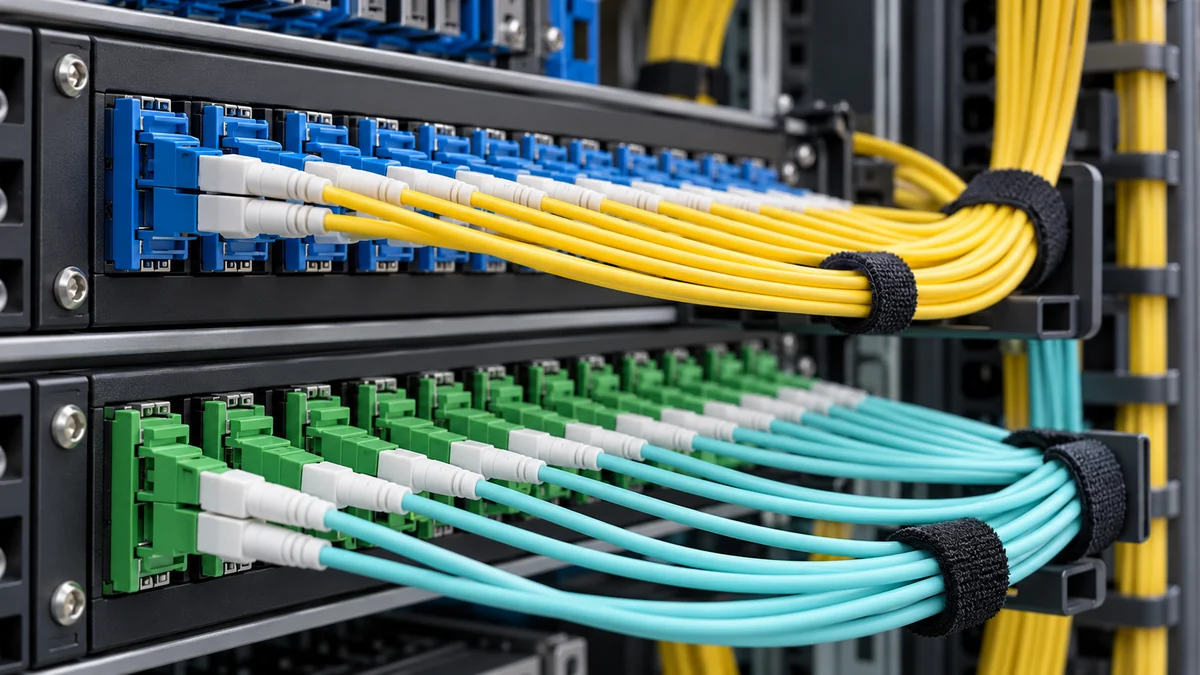
Images are editorial illustrations; they do not document an actual event, installation or named tree.
References and related reading
opendutchfiber.nl — fiber check
Related DailyInsights reading: Wattios.
Related DailyInsights reading: Tech.
